
Unify Your Warehouse and Financial Systems with Seamless ERP Integration
Connect Logimax WMS to SAP, Oracle, Microsoft Dynamics, NetSuite, and QuickBooks. Automate data flow, eliminate manual entry, and keep your financial records accurate in real time.

The Integration Challenge
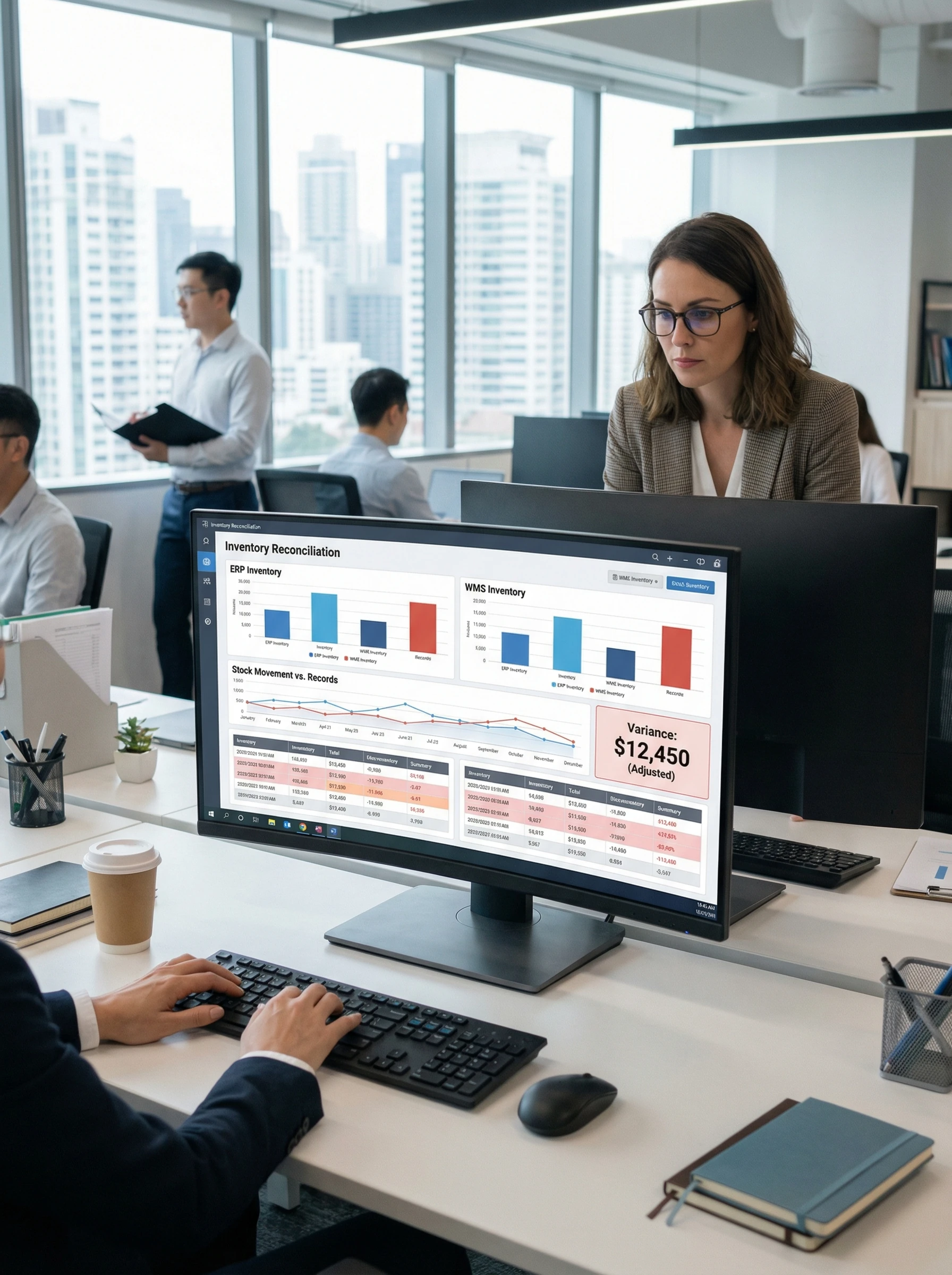
Managing warehouse operations and financial systems separately creates costly data silos. Your team wastes hours re-entering inventory data, order details, and transaction records across disconnected platforms.
Manual data entry introduces errors that cascade through your entire operation. A single miskeyed SKU or quantity throws off inventory counts, financial reports, and customer orders simultaneously.
Without real-time synchronization, your ERP system displays outdated information. Decision-makers work from stale data while container depot ERP integration solutions remain fragmented and unreliable.
The Logimax Solution
Seamless ERP/Accounting Integration
Logimax bridges the gap between your warehouse operations and financial management systems. Our integration creates a unified platform tailored to your unique business needs, synchronizing processes with financial data automatically.
Experience the convenience of automated data syncing with two-way data flow. Your Logimax WMS and accounting system stay consistently updated, eliminating manual errors and keeping records accurate.
Whether you’re exploring logcomex logmanager ERP integration or evaluating imax ERP alternatives, Logimax delivers the connectivity modern warehouses demand. Our platform supports leading ERP systems out of the box.
ERP/Accounting Integration Capabilities
Everything you need to connect your systems
Bi-Directional Data Sync
Maintain consistent data across Logimax and your ERP with automatic two-way synchronization. Changes in either system update instantly, ensuring your warehouse and financial teams always work from the same accurate information.
Financial Transaction Mapping
Map warehouse transactions directly to your accounting workflows. Every receipt, shipment, and adjustment flows seamlessly into your financial system with the correct coding, eliminating reconciliation headaches and month-end chaos.
Inventory Reconciliation
Keep inventory values aligned between your WMS and ERP automatically. Real-time reconciliation catches discrepancies instantly, protecting your financial statements and giving auditors confidence in your reported asset values.
Order-to-Cash Automation
Accelerate revenue recognition by automating the entire order-to-cash cycle. From order receipt through shipment confirmation to invoice generation, every step flows automatically between Logimax and your financial system.
GL Account Mapping
Configure flexible mappings between warehouse activities and general ledger accounts. Inventory movements, adjustments, and transactions post to the correct GL codes automatically, ensuring accurate financial reporting without manual journal entries.

Scheduled Sync Jobs
Choose when and how your data synchronizes. Configure real-time updates for critical transactions or scheduled batch syncs during off-peak hours. You control the timing to optimize system performance and business workflows.
How It Works
Get connected in three simple steps
Map Fields
Configure data mappings between Logimax and your ERP system. Our intuitive interface lets you match inventory fields, transaction types, and GL accounts without custom coding or IT involvement.
Set Triggers
Define exactly when data syncs occur. Choose real-time synchronization for immediate updates, scheduled batch processing for high-volume operations, or on-demand sync for specific business events.
Validate
Test your integration thoroughly with sample transactions in a sandbox environment. Verify data flows correctly between systems before going live, ensuring a smooth transition with zero disruption to operations.
ERP/Accounting Integration FAQs
Common questions about this integration
Which ERP and accounting platforms does Logimax integrate with?
How does bi-directional sync prevent data entry errors?
Can I control when data synchronizes between Logimax and my ERP?
How long does it take to implement ERP integration with Logimax?
Ready to Connect Your Systems?
See how Logimax streamlines your ERP and accounting integration. Schedule a personalized demo to explore automated data syncing, financial mapping, and real-time inventory reconciliation for your operation.