
Introduction to Barcoding Systems for Warehouses
Every misplaced pallet, miscounted item, and data entry error costs your warehouse time and money. A barcode scanning system for inventory has become the backbone of modern warehouse operations, transforming chaotic manual processes into precise, trackable workflows. For warehouse managers and inventory specialists, understanding these systems is no longer optional; it is essential for staying competitive.
This guide breaks down everything you need to know about implementing a warehouse barcode scanner system. From selecting the right wireless barcode scanner for inventory to integrating new technology with your existing solutions, you will gain actionable insights backed by real-world applications and emerging trends.
The Importance of Barcoding
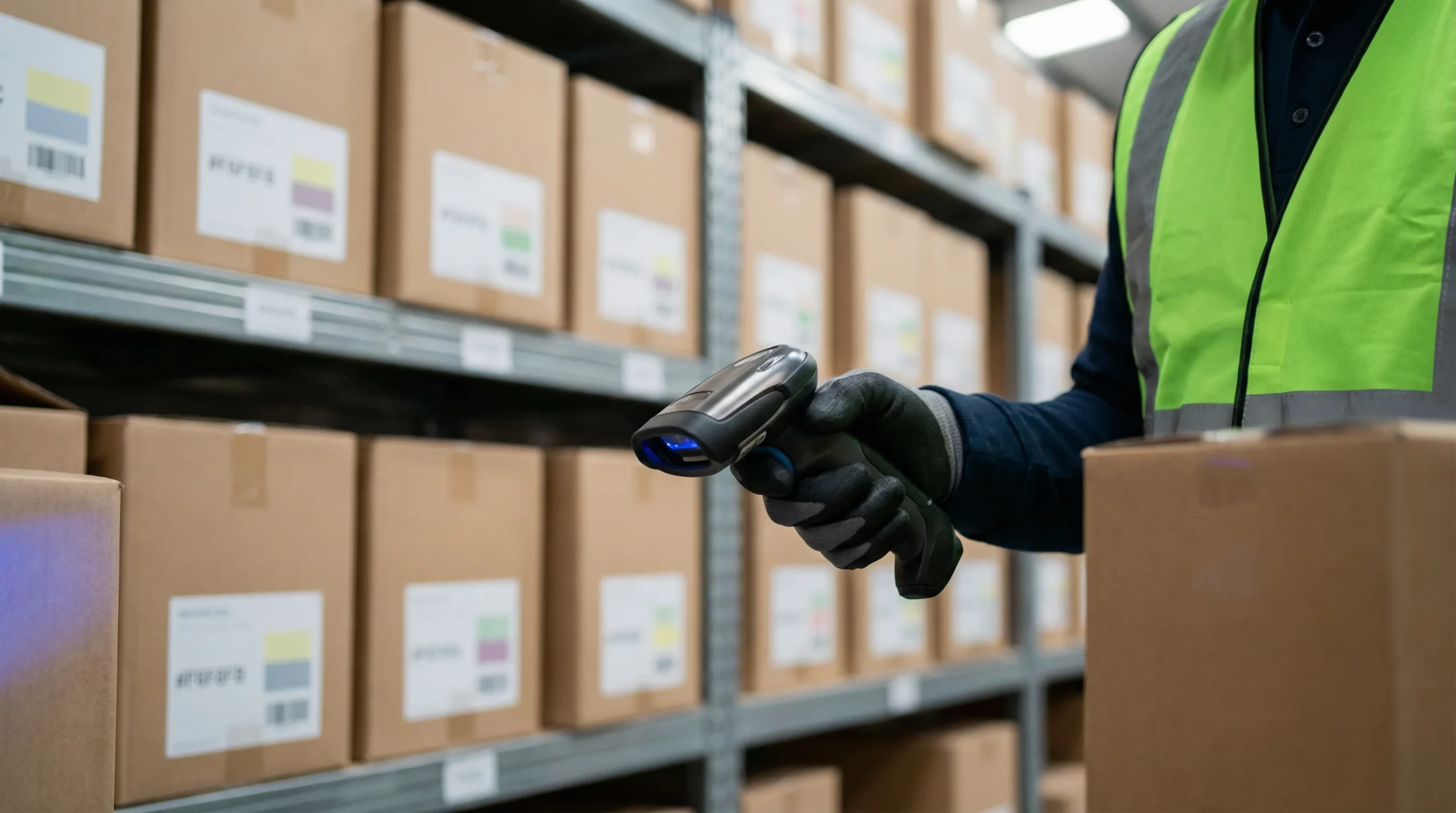
Barcoding technology eliminates guesswork from inventory management. According to Supply Chain 247, warehouses using barcode systems experience significantly fewer picking errors and faster order fulfillment cycles. The reasons are straightforward: automated data capture removes human transcription errors, and real-time updates keep inventory counts accurate.
Beyond accuracy, barcoding provides visibility. Managers can track items from receiving to shipping, identifying bottlenecks and optimizing workflows. This visibility becomes crucial during peak seasons when order volumes spike and manual tracking becomes impossible.
The financial impact is equally compelling. Reduced errors mean fewer returns, less time spent on corrections, and improved customer satisfaction. When inventory counts are accurate, you avoid both overstocking costs and stockout losses.
Key Components of a Barcoding System
A complete barcoding system consists of several interconnected elements:
- Barcode labels: These contain encoded information about products, locations, or shipments. Labels can be printed on demand or pre-printed in batches.
- Barcode scanners: Devices that read encoded information and transmit it to your inventory management system. Options range from basic handheld units to advanced mobile computers.
- Barcode printers: Specialized equipment that produces durable labels capable of withstanding warehouse conditions.
- Software: The brain of the operation, connecting scanned data with your inventory database and business applications.
- Network infrastructure: Enables communication between scanners, printers, and central systems.
Each component must work together without gaps. A high-quality scanner paired with poorly printed labels will produce unreliable results. Similarly, excellent hardware connected to inadequate software will limit your operational gains.
Understanding Barcode Scanning Systems for Inventory
The barcode scanning system for inventory you choose will directly affect your warehouse productivity. These systems have evolved from simple wand scanners to sophisticated devices capable of reading damaged codes, capturing images, and operating in extreme conditions. Understanding your options helps you match technology to your specific operational needs.
Types of Barcode Scanning Systems
Warehouse environments demand different scanning solutions depending on the task at hand. Here are the primary categories:
Handheld Scanners
The most common warehouse barcode scanner type, handheld devices offer portability and ease of use. Workers point the scanner at a barcode, pull the trigger, and capture data instantly. These devices work well for receiving, picking, and cycle counting operations.
Handheld scanners come in two main varieties:
- Laser scanners: Use a laser beam to read traditional 1D barcodes. They are cost-effective and reliable for standard applications.
- Imager scanners: Capture images of barcodes, allowing them to read both 1D and 2D codes. They handle damaged or poorly printed barcodes better than laser alternatives.
Fixed-Mount Scanners
Installed at specific locations like conveyor lines or workstations, fixed-mount scanners automatically read barcodes as items pass by. They excel in high-volume environments where speed matters most. These systems reduce handling time and allow workers to focus on other tasks while scanning happens automatically.
Mobile Computers
These devices combine barcode scanning with computing power, featuring touchscreens, keyboards, and wireless connectivity. Workers can view inventory data, receive picking instructions, and update records without returning to a central station. Mobile computers represent the highest investment but offer the greatest functionality.
Wearable Scanners
Ring scanners and wrist-mounted devices free both hands for handling products. They are particularly valuable in picking operations where workers need to grab items while scanning. The hands-free design improves ergonomics and speeds up repetitive tasks.
How Barcode Scanners Work
Understanding the technology behind barcode scanning helps you troubleshoot issues and select appropriate equipment. The process involves three main steps:
- Illumination: The scanner emits light onto the barcode surface. Laser scanners use a focused beam, while imagers project ambient or targeted LED light.
- Reading: The scanner detects light reflected from the barcode’s pattern. Dark bars absorb light while white spaces reflect it, creating a pattern of high and low reflections.
- Decoding: Internal software interprets the reflection pattern, translating it into alphanumeric characters that identify the item, location, or transaction.
Modern scanners perform these steps in milliseconds. Advanced models include motion tolerance, meaning they can read barcodes on moving items without requiring a stationary target. This capability proves essential for high-speed sortation and conveyor applications.
Barcode symbologies also matter. Different industries and applications use various formats:
- UPC/EAN: Common in retail, these 1D codes identify consumer products.
- Code 128: A high-density 1D format popular for shipping and logistics.
- QR Codes: 2D codes that store more information and can include URLs, batch numbers, or serial data.
- Data Matrix: Compact 2D codes used when space is limited or direct part marking is required.

Choosing the Right Warehouse Barcode Scanner
Selecting a warehouse barcode scanner requires balancing performance requirements with budget constraints. The right choice depends on your specific environment, the types of barcodes you scan, and how your workers will use the devices daily.
Factors to Consider
Before purchasing scanning equipment, evaluate these critical factors:
Environmental Conditions
Warehouses present harsh conditions that consumer-grade electronics cannot survive. Consider temperature extremes in freezer storage, dust levels in distribution centers, and moisture exposure in outdoor staging areas. Industrial scanners carry IP ratings indicating resistance to dust and water. An IP65 rating, for example, means complete dust protection and resistance to low-pressure water jets.
Drop Durability
Warehouse workers drop equipment. It happens daily regardless of training or caution. Industrial scanners specify drop ratings, typically measured in feet dropped onto concrete. A device rated for six-foot drops onto concrete will survive typical warehouse mishaps. Consumer devices lack this durability and will fail quickly in demanding environments.
Scanning Distance and Angle
Standard-range scanners work well for items within arm’s reach. Extended-range models can read barcodes several feet away, useful for scanning pallets on high racks without climbing. Some applications require omni-directional scanning where workers cannot align barcodes perfectly; imager-based scanners handle these situations better than laser alternatives.
Connectivity Options
Consider how devices will communicate with your inventory system. Wired scanners connect via USB or serial cables, offering reliability but limiting mobility. Wireless options include Bluetooth connections to mobile devices or direct WiFi links to your network. Battery life becomes crucial for wireless barcode scanner for inventory applications, especially during long shifts.
Barcode Types
Identify every barcode type you currently scan or may scan in the future. If you only handle 1D retail codes, a basic laser scanner suffices. If you work with 2D codes, damaged labels, or codes displayed on screens, invest in imaging technology.
Top Features of Effective Scanners
Beyond basic specifications, look for these features that distinguish excellent scanners from adequate ones:
- Fast decode speed: Measured in scans per second, faster decoding reduces wait time and increases throughput.
- First-pass read rate: How often the scanner successfully reads a barcode on the first attempt. Poor first-pass rates slow operations and frustrate workers.
- Ergonomic design: Workers hold scanners for hours. Balanced weight, comfortable grips, and intuitive button placement reduce fatigue and repetitive strain injuries.
- Visual and audio feedback: Clear beeps and LED indicators confirm successful scans without requiring workers to check screens constantly.
- Battery management: Hot-swappable batteries allow continuous operation. Quick-charge capabilities minimize downtime between shifts.
- Management software: Centralized tools for configuring, updating, and monitoring scanner fleets reduce IT burden.
When evaluating scanners, request devices for testing in your actual environment. Performance claims made under laboratory conditions may not translate to real-world warehouse operations with dust, varying lighting, and constant movement.
Advantages of Wireless Barcode Scanners for Inventory Management
A wireless barcode scanner for inventory operations removes physical constraints that limit productivity. Without cables tethering workers to fixed stations, your team gains freedom to move through aisles, climb ladders, and manage tight spaces while maintaining connectivity to your inventory system.
Benefits of Going Wireless
The shift from wired to wireless scanning delivers measurable operational improvements:
Increased Mobility
Workers carrying wireless scanners can travel anywhere within your facility without interruption. They can scan items at receiving docks, verify locations deep in racking systems, and confirm shipments at loading bays using the same device. This mobility eliminates the need for multiple fixed scanning stations throughout your warehouse.
Faster Task Completion
Cable-free operation removes steps from common workflows. Workers do not need to position themselves near wall-mounted units or manage cable length while moving through aisles. These seconds saved on each scan compound into significant time savings across shifts and seasons.
Reduced Tripping Hazards
Cables stretched across warehouse floors create safety risks. Workers focused on tasks may not notice cables and can trip, potentially injuring themselves or damaging equipment and inventory. Wireless systems eliminate these hazards entirely.
Lower Maintenance Costs
Cable connectors are points of failure. Repeated plugging and unplugging wears connectors, and cables themselves suffer damage from being pulled, rolled over, or caught on equipment. Wireless devices avoid these failure modes, reducing replacement costs and downtime.
Flexibility for Changing Operations
Warehouse layouts evolve as business needs change. Relocating wired scanning stations requires running new cables and potentially hiring electricians. Wireless systems adapt immediately to new configurations; simply ensure WiFi coverage extends to new areas.
Case Studies of Successful Implementations
Real-world implementations demonstrate the practical value of wireless scanning technology:
Regional Distribution Center Transformation
A mid-sized distribution center handling consumer electronics faced chronic picking errors and slow order fulfillment. Workers used paper-based pick lists and returned to central stations to record completions. After implementing wireless scanners integrated with their warehouse management system, picking accuracy improved from 94% to 99.2%. Order processing time decreased by 35% as workers received real-time picking instructions on their devices.
Cold Storage Facility Upgrade
A frozen food distributor struggled with equipment failures in their -20°F storage areas. Standard consumer devices failed within weeks, and wired connections limited how quickly workers could complete tasks before returning to normal temperatures. They deployed industrial wireless scanners rated for extreme cold, with extended battery packs that maintained performance in freezing conditions. Equipment failures dropped dramatically, and workers completed picks faster with unrestricted movement.
Third-Party Logistics Provider Scaling
A 3PL provider managing inventory for multiple clients needed flexibility to handle varying product types and client requirements. Wireless mobile computers allowed them to configure different scanning workflows for different clients without hardware changes. When onboarding new clients, they simply updated software configurations rather than purchasing new equipment or redesigning workstations.
These examples highlight that wireless technology delivers returns beyond simple convenience. The combination of mobility, reliability, and flexibility creates compounding operational improvements.
Integrating Barcode Systems with Existing Inventory Solutions
Purchasing excellent hardware means little if it does not communicate effectively with your inventory management system. Integration connects scanned data with business processes, enabling real-time updates, accurate reporting, and automated workflows. Successful integration requires planning, testing, and often professional assistance.
Steps for Successful Integration
Follow this structured approach to connect your barcode scanning system for inventory with existing software:
Step 1: Audit Current Systems
Document your existing technology stack before introducing new equipment. Identify your warehouse management system, enterprise resource planning software, and any other applications that touch inventory data. Note version numbers, API capabilities, and any customizations that may affect integration.
Step 2: Define Data Requirements
Determine exactly what information needs to flow between systems. At minimum, you will need item identification data from scans to update inventory records. More sophisticated implementations may require location data, timestamp records, worker identification, and batch or serial numbers. Define data formats and validation rules before beginning technical work.
Step 3: Evaluate Integration Methods
Several approaches connect scanning hardware with software systems:
- Direct API integration: Modern systems often provide application programming interfaces that allow real-time data exchange. This method offers the most flexibility but requires development resources.
- Middleware solutions: Intermediary software translates between different systems, useful when direct integration is not possible or practical.
- File-based exchange: Systems export and import data files at scheduled intervals. This approach is simpler but introduces delays and potential sync issues.
- Native integration: Some scanner manufacturers and WMS providers have pre-built connections that require minimal configuration.
Step 4: Build and Test
Develop integration connections in a test environment before deploying to production. Create test cases covering normal operations, edge cases, and error conditions. Verify that scanned data appears correctly in your inventory system and that updates flow back to mobile devices as expected.
Step 5: Train and Deploy
Train workers on new workflows before going live. Even experienced staff need guidance when processes change. Start with a limited pilot group to identify issues before full rollout, then expand deployment based on lessons learned.
Working with experienced partners like Logimax can accelerate integration timelines and reduce risk. Professional implementation teams have encountered common challenges and know how to address them efficiently.
Common Challenges and Solutions
Integration projects frequently encounter predictable obstacles. Knowing these in advance helps you prepare solutions:
Challenge: Legacy System Limitations
Older inventory systems may lack modern integration capabilities. APIs may be poorly documented or entirely absent. Solutions include middleware that bridges technology gaps, scheduled batch updates as an interim measure, or system upgrades when legacy limitations become too restrictive.
Challenge: Data Format Mismatches
Different systems may expect data in incompatible formats. One system might use 12-digit item codes while another uses alphanumeric identifiers. Build translation layers that convert data between formats, and establish data governance policies that maintain consistency across systems.
Challenge: Network Reliability
Wireless scanners depend on network connectivity. Dead zones in warehouses create frustrating interruptions. Conduct site surveys to identify coverage gaps before deployment, and consider scanners with store-and-forward capabilities that cache data during connectivity lapses and transmit when connections restore.
Challenge: Worker Resistance
New technology can face pushback from experienced workers comfortable with existing methods. Address concerns through involvement in planning, thorough training, and demonstrating how new systems make jobs easier rather than adding burden. Celebrate early wins to build momentum.
Challenge: Ongoing Maintenance
Integration is not a one-time project. Software updates, hardware replacements, and changing business requirements require ongoing attention. Establish clear ownership for integration maintenance and allocate resources for continuous improvement.
Future Trends and Innovations in Barcode Technology
Barcode technology continues advancing, with new capabilities emerging that promise even greater efficiency and accuracy. Understanding these trends helps you make investment decisions that position your warehouse for future success.
Emerging Technologies
Several innovations are reshaping inventory management:
RFID Integration
Radio Frequency Identification technology complements traditional barcoding by enabling read operations without direct line of sight. RFID readers can scan multiple tags simultaneously, making inventory counts faster. As RFID Journal notes, costs have decreased while capabilities have expanded, making RFID practical for more applications.
Many warehouses adopt hybrid approaches, using barcodes for item-level tracking and RFID for case-level or pallet-level operations. This combination balances cost and capability effectively.
Computer Vision and AI
Advanced image processing can now read multiple barcodes simultaneously, identify products without barcodes through visual recognition, and detect damaged items or packaging errors. Machine learning improves accuracy over time as systems process more images. These capabilities enable automated verification at packing stations and more efficient cycle counting.
IoT Connectivity
Internet of Things sensors add context to barcode data. Temperature sensors confirm cold chain compliance, motion sensors detect when items are moved, and location beacons track assets throughout facilities. Combining barcode identification with sensor data creates comprehensive item histories useful for compliance, quality control, and optimization.
Augmented Reality
AR-enabled devices overlay digital information on physical environments. Workers wearing AR glasses see visual cues guiding them to pick locations, confirming correct items, and indicating next steps without looking at handheld screens. Integrated barcode scanning in AR glasses further reduces handling time and improves accuracy.
Smartphone-Based Scanning
Consumer smartphone cameras have become capable barcode readers. While industrial environments often require more durable devices, smartphone scanning offers flexibility for overflow situations, temporary workers, or applications where dedicated hardware is impractical. Software development kits make it increasingly easy to incorporate scanning into custom applications.
The Future of Inventory Management
Looking ahead, several trends will shape how warehouses operate:
Autonomous Operations
Robots equipped with scanning capabilities are beginning to handle inventory tasks independently. Autonomous mobile robots can perform cycle counts, move items between locations, and verify shipments with minimal human intervention. Barcode and RFID technology enables these robots to identify and interact with inventory accurately.
Predictive Analytics
Data captured through scanning creates valuable datasets for analytics. Machine learning algorithms can predict demand patterns, optimize storage locations, and identify potential issues before they cause problems. Real-time scanning data feeds these predictions, making them more accurate and actionable.
Sustainability Tracking
Consumers and regulators increasingly demand visibility into product origins and environmental impact. Extended barcode data and blockchain integration can track sustainability metrics throughout supply chains. Warehouses will play key roles in capturing and verifying this information.
Personalized Fulfillment
E-commerce growth drives demand for customized orders and same-day delivery. Barcode systems must support increasingly complex fulfillment operations with kitting, bundling, and special handling requirements. Flexible scanning solutions that adapt to changing workflows will become essential.
Preparing for these trends does not require immediate investment in experimental technology. Instead, focus on building strong foundations: reliable data capture, effective integration, and scalable infrastructure. These fundamentals position your operation to adopt innovations as they mature.
Conclusion
Implementing a barcode scanning system for inventory transforms warehouse operations through improved accuracy, faster processing, and better visibility. From selecting the right warehouse barcode scanner to deploying wireless barcode scanner for inventory applications, each decision contributes to operational excellence.
Start by understanding your requirements: environmental conditions, barcode types, connectivity needs, and integration demands. Evaluate options carefully, test thoroughly in your actual environment, and invest in training that ensures successful adoption.
Integration with existing systems requires planning and often professional support, but the resulting real-time data flow and automated workflows justify the effort. As technology continues evolving, warehouses with strong barcoding foundations will be best positioned to adopt emerging innovations.
Ready to enhance your warehouse operations?
Explore Logimax’s barcode solutions to find options tailored to your operational needs. Our team has helped warehouses across industries implement scanning systems that deliver measurable improvements.
Contact us for a consultation to discuss your specific requirements and receive personalized recommendations.
Download our comprehensive guide on implementing barcoding systems for detailed checklists, evaluation criteria, and implementation best practices that will guide your project to success.
Frequently Asked Questions
What is a barcoding system for warehouse management?
A barcoding system for warehouse management automates inventory tracking and reduces errors. It uses barcode labels, scanners, and software to provide real-time data on inventory levels and movements. This system enhances accuracy and efficiency, leading to fewer picking errors and faster order fulfillment. By implementing barcoding, warehouses can optimize workflows and improve overall productivity, especially during peak seasons when manual tracking is challenging.
How does a barcoding system improve inventory accuracy?
A barcoding system improves inventory accuracy by automating data capture and reducing human errors. Barcode scanners quickly read and transmit information to inventory management systems, ensuring real-time updates. This minimizes discrepancies caused by manual entry and helps maintain accurate inventory counts. As a result, warehouses can avoid overstocking or stockouts, reducing costs and enhancing customer satisfaction.
Why is barcoding important for warehouse efficiency?
Barcoding is important for warehouse efficiency as it streamlines operations and reduces errors. It automates data entry, providing accurate and real-time inventory information. This allows managers to track items throughout the warehouse, identify bottlenecks, and optimize workflows. Improved efficiency leads to faster order fulfillment and reduced operational costs, making barcoding a critical component for competitive warehouse management.
What components are essential in a barcoding system?
Essential components of a barcoding system include barcode labels, scanners, printers, and software. Barcode labels contain encoded product information, while scanners read and transmit this data to management systems. Printers produce durable labels suited for warehouse conditions, and software integrates all components for seamless operation. Together, these elements ensure accurate inventory tracking and efficient warehouse management.
How does barcoding reduce warehouse operational costs?
Barcoding reduces warehouse operational costs by minimizing errors and improving efficiency. Automated data capture eliminates manual entry mistakes, decreasing the need for costly corrections. Accurate inventory tracking prevents overstocking and stockouts, reducing waste and loss. Additionally, faster order processing and fulfillment enhance customer satisfaction, further lowering return rates and associated costs.