

5 Essential Steps to Implementing a Barcode Inventory System for Enhanced Efficiency
Implementing a barcode inventory system is a strategic move for warehouse and logistics professionals aiming to streamline operations and enhance accuracy. By automating data entry and improving inventory tracking, businesses can significantly reduce errors and increase efficiency. This post outlines the crucial steps involved in setting up an effective barcode system, ensuring you maximize business efficiency and reduce errors.
Smarter Warehouse Management Starts Here
Logimax WMS delivers real-time visibility, automated workflows, and seamless ERP integration for warehouses of every size.
Request a Demo
Assessing Your Current Inventory Management Needs
Understanding your current inventory management processes is the first step toward implementing a successful barcode system. This involves a thorough assessment of your existing operations to identify pain points and areas for improvement. Common issues might include inaccurate inventory counts, slow data processing, or inefficient warehouse layouts. Recognizing these challenges is crucial, as a barcode system can address many of these needs by providing real-time data and improving accuracy.
By evaluating your current system, you can determine the specific requirements for your barcode implementation. For instance, if your warehouse struggles with tracking inventory in real-time, a barcode system can offer instant updates and reduce discrepancies. This assessment phase sets the foundation for selecting the right technology and designing a system tailored to your business needs.
Choosing the Right Hardware and Software
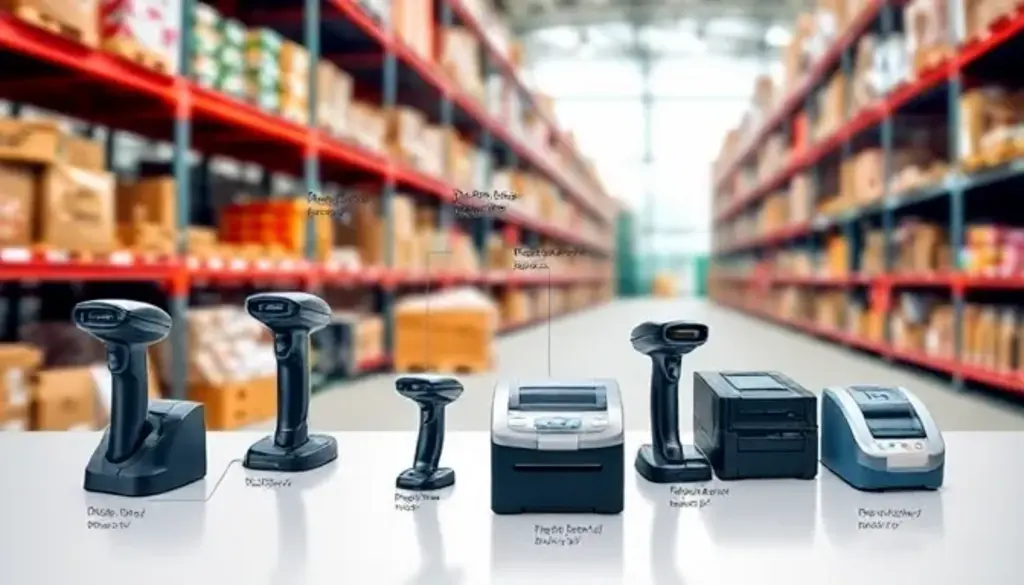
Selecting the appropriate hardware and software is a critical step in implementing a barcode inventory system. The choice of barcode scanners and printers should be based on factors such as the size of your warehouse, the type of products you handle, and your budget. For instance, handheld scanners are ideal for smaller operations, while industrial-grade scanners may be necessary for larger warehouses with high-volume inventory.
When it comes to software, it’s essential to choose a solution that integrates seamlessly with your existing systems. Look for inventory management software that offers features like real-time tracking, reporting, and analytics. This integration ensures that your barcode system enhances overall operational efficiency without disrupting current workflows. Additionally, consider the scalability of the software to accommodate future growth and changes in your business.
Planning and Designing the Implementation Process
A well-planned implementation process is key to the success of your barcode inventory system. Start by developing a step-by-step guide that outlines each phase of the rollout. This plan should include timelines, resource allocation, and key milestones. A phased rollout is often recommended, as it allows for testing and adjustments before full-scale implementation.
Effective project management is crucial during this phase. Assign a dedicated team to oversee the implementation, ensuring that each step is executed smoothly. This team should be responsible for coordinating with vendors, managing timelines, and addressing any issues that arise. By maintaining clear communication and setting realistic expectations, you can minimize disruptions and ensure a successful transition to the new system.

Staff Training and Change Management
Training your staff is an essential component of implementing a barcode inventory system. It’s important to develop training strategies that cater to different levels of tech proficiency within your team. This might involve hands-on workshops, online tutorials, or one-on-one coaching sessions. The goal is to ensure that all employees are comfortable using the new system and understand its benefits.
Overcoming resistance to new technology is another challenge that many organizations face. Address this by highlighting the advantages of the barcode system, such as increased accuracy and efficiency. Encourage feedback from staff and involve them in the implementation process to foster a sense of ownership and acceptance. Additionally, provide ongoing support and troubleshooting to address any issues that arise post-implementation.
Evaluating Success and Adjusting Strategies

Once your barcode inventory system is up and running, it’s important to evaluate its success and make necessary adjustments. Establish metrics to measure the system’s effectiveness, such as inventory accuracy rates, order fulfillment times, and error reduction. Regularly review these metrics to identify areas for improvement and ensure that the system continues to meet your business needs.
Common challenges during this phase include adapting to new technology and aligning the system with existing processes. Address these issues by maintaining open communication with your team and being willing to make adjustments as needed. Continuous improvement is key to maximizing the benefits of your barcode system and enhancing overall inventory management.
Defining SKUs and Creating a Comprehensive Barcode Structure
Before you can successfully implement a barcode system for inventory, establishing a clear SKU (Stock Keeping Unit) structure is fundamental to your system’s effectiveness. This foundational step ensures that every product variant in your warehouse has a unique identifier that supports accurate tracking and reporting.
Start by cataloging all products and their variations, including size, color, model, and any other distinguishing characteristics. Each unique combination requires its own SKU and corresponding barcode. For example, a blue medium t-shirt and a blue large t-shirt should have separate SKUs like “TSHIRT-BLU-MED” and “TSHIRT-BLU-LRG” respectively.
When implementing a barcode system in warehouse operations, consider these SKU best practices:
- Keep codes consistent: Use standardized naming conventions across all product categories
- Make codes meaningful: Include category, brand, or key attributes in the SKU structure
- Plan for scalabilityScalabilityThe ability of a warehouse management system to effectively handle increasing or decreasing operational demands without compromising performance or requiring complete system overhauls.View full definition →: Leave room for new product lines and variations
- Avoid special characters: Use only letters, numbers, and hyphens to prevent scanning errors
Your warehouse inventory barcode system will only be as accurate as your SKU foundation. Take time to audit existing inventory and standardize naming conventions before generating barcodes, as changes after implementation can be costly and disruptive to operations.
Testing and Pilot Program Implementation
Running a comprehensive pilot program is crucial when learning how to implement a barcode system for inventory management. This controlled testing phase allows you to identify potential issues and refine processes before full warehouse deployment.
Select a specific warehouse zone or product category for your pilot test. This focused approach enables thorough evaluation of your barcode inventory system without disrupting entire operations. During the pilot phase, test all critical functions including receiving, picking, cycle counting, and shipping processes.
Key elements to evaluate during your pilot program include:
- Scanning accuracy: Test barcode readability under various lighting conditions and angles
- Software integration: Verify data flows correctly between your barcode system and existing warehouse management software
- User workflow: Document how the system affects daily tasks and identify any bottlenecks
- Error handling: Test scenarios like damaged barcodes or network connectivity issues
Collect feedback from warehouse staff participating in the pilot to understand real-world challenges. This input is invaluable for adjusting your implementation strategy and ensuring smooth rollout across your entire facility. A successful pilot program typically runs for 2-4 weeks and should demonstrate measurable improvements in accuracy and efficiency before proceeding with full implementation of your warehouse barcode system.
Conclusion
Implementing a barcode inventory system is more than just upgrading technology; it’s about fundamentally enhancing the way your warehouse operates. By following these essential steps, you can ensure a smooth transition, improved accuracy, and a solid foundation for future growth in your inventory management practices. As you continue to refine and optimize your system, you’ll be better equipped to meet the demands of an ever-evolving supply chain landscape.
Frequently Asked Questions
What are the initial costs involved in setting up a barcode inventory system?
Initial costs can vary widely depending on the scale of your operations and the technology chosen. Costs typically include hardware such as barcode scanners and printers, software solutions for inventory management, and potential consulting fees for system integration and training. It’s important to conduct a cost-benefit analysis to ensure that the investment aligns with your business goals.
How long does it typically take to implement a barcode inventory system?
The timeline for implementing a barcode inventory system can range from a few weeks to several months, depending on the complexity of the system and the size of the organization. Factors influencing the timeline include the extent of existing infrastructure, the level of customization required, and the availability of resources for training and support.
Can a barcode inventory system integrate with other supply chain management software?
Yes, most modern barcode systems are designed to integrate seamlessly with various supply chain management platforms. This integration enhances data visibility and operational efficiency by allowing for real-time updates and streamlined communication across different systems. It’s crucial to choose a barcode system that supports integration with your existing software to maximize its benefits.
What are the most common challenges faced during the implementation of a barcode inventory system?
Common challenges include adapting to new technology, data migration issues, and aligning the system with existing processes. Overcoming these challenges requires careful planning, effective change management, and ongoing support. Engaging stakeholders early in the process and providing comprehensive training can help mitigate potential obstacles.
How does a barcode inventory system help in reducing errors in inventory management?
Barcode systems automate data entry and reduce human error, ensuring higher accuracy in tracking inventory levels and movements. By scanning barcodes, employees can quickly and accurately update inventory records, minimizing discrepancies and improving overall inventory control. This automation leads to more reliable data and better decision-making capabilities for your business.