
Streamline Order Fulfillment with Intelligent Order Management
Transform warehouse order processing with flexible picking strategies, automated replenishment, and seamless system integration that scales with your operation.
Manual Order Processes Drain Resources
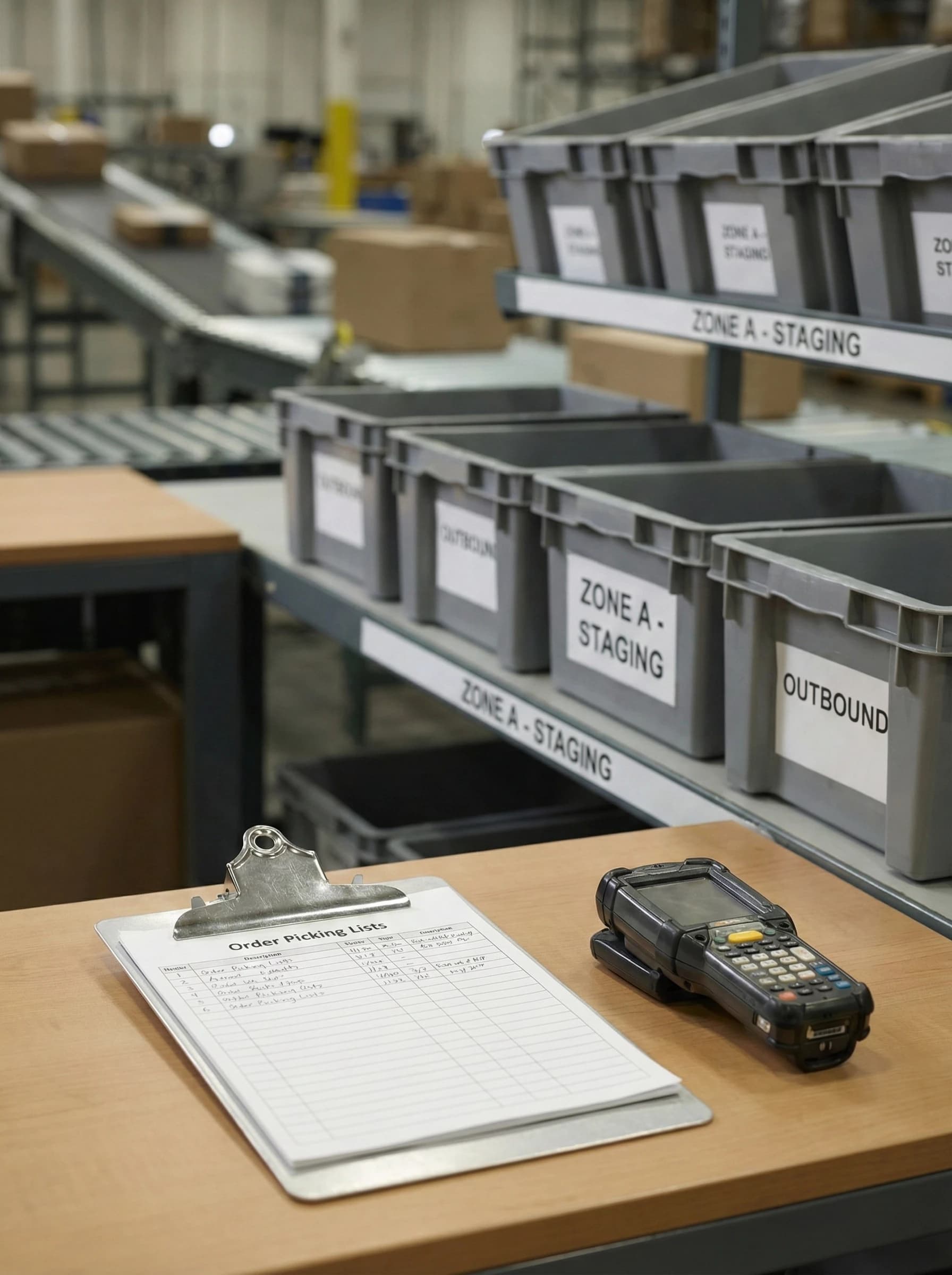
Warehouse teams juggling multiple order priorities waste hours on inefficient picking routes. Without intelligent sequencing, workers crisscross the floor repeatedly, burning time that should go toward fulfillment.
Stockouts at pick locations halt operations mid-shift. When replenishment runs on guesswork instead of data, orders back up and delivery commitments slip—damaging customer relationships you worked hard to build.
A distribution center processing 500 daily orders loses 15% productivity to poor staging and allocation. Rushed workers grab inventory already promised elsewhere, creating backorders and shipping delays across the board.
Precision Order Management Built for Scale
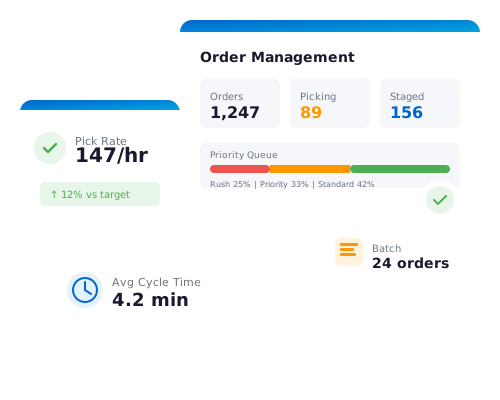
Logimax order management orchestrates every step from order receipt to shipment. Intelligent picking strategies, priority rules, and automated replenishment work together to eliminate bottlenecks and maximize throughput.
Your team gains real-time visibility into order status, inventory allocation, and fulfillment progress. Configurable workflows adapt to seasonal surges, special orders, and changing business requirements without custom development.
Warehouses running Logimax consistently report faster order cycles and reduced labor costs. Accurate fulfillment improves customer satisfaction while systematic processes make training new staff straightforward and efficient.
Order Management Capabilities
Nine integrated features that optimize every stage of order fulfillment from receipt to shipment.
Batch and Zone Picking
Consolidate multiple orders into efficient pick batches or divide your warehouse into zones for parallel processing. Reduce travel time significantly while increasing picker productivity across diverse order profiles and volumes.
Pick Path Sequencing
Automatically sequence pick tasks along optimized routes through your warehouse. Minimize travel distance and time by directing workers on logical paths that reduce backtracking and maximize picks per hour.

Priority Sequencing
Define rules that automatically prioritize critical orders for immediate processing. Meet tight delivery deadlines and SLA requirements by ensuring rush orders, VIP customers, and time-sensitive shipments always move first.

Appointment Scheduling
Coordinate inbound and outbound shipments with structured dock scheduling. Reduce carrier wait times and optimize dock door utilization by managing appointment windows that align with your fulfillment capacity.

Soft and Hard Allocation
Control inventory commitment with flexible allocation strategies. Use soft allocation for planning visibility while hard allocation locks specific inventory to orders, preventing overselling and ensuring accurate availability promises.

Automated Min/Max Replenishment
Maintain optimal pick face inventory with intelligent min/max triggers. Automatically generate replenishment tasks when stock drops below thresholds, eliminating stockouts at pick locations and keeping fulfillment flowing smoothly.

BOM Picking to Assembly
Support kitting and light assembly operations with bill of materials picking. Pull components to assembly stations in coordinated waves, enabling value-added services without disrupting standard fulfillment workflows.
Flexible Order Staging
Pre-assign staging locations or let pickers manage placement dynamically based on conditions. Ensure completed orders are organized and accessible for efficient loading, reducing dock congestion and shipping delays.
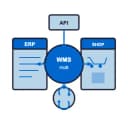
System Integration
Connect seamlessly with ERP, ecommerce platforms, and shipping carriers through robust integration capabilities. Synchronize order data across systems in real-time, eliminating manual entry and ensuring accurate information flow.
Why Choose Logimax WMS
Faster Order Cycles
Optimized picking routes and automated task sequencing reduce fulfillment time from receipt to shipment.
Reduced Labor Costs
Intelligent batching and zone strategies maximize picks per hour, accomplishing more with existing staff.
Improved Order Accuracy
Systematic processes and allocation controls minimize mispicks, wrong shipments, and costly returns.
Flexible Fulfillment Strategies
Adapt picking methods to match order profiles, seasonal demands, and customer requirements without system changes.
Real-Time Visibility
Track order status, inventory positions, and fulfillment progress across your operation from one dashboard.
Scalable Operations
Handle volume growth and complexity increases without proportional staff additions or process breakdowns.
Frequently Asked Questions
Common questions about order management
How does Logimax prioritize orders during peak periods?
+
Priority sequencing runs before batch creation, ensuring urgent orders process first. The system groups remaining orders into efficient batches based on your configured rules. You can set priority tiers for rush orders, VIP customers, or carrier cutoff times. High-priority orders can also bypass batching entirely for immediate single-order picking when deadlines demand it.
Can we customize order workflows for different sales channels?
+
Yes, Logimax allows you to configure distinct workflow rules for each sales channel. You can set channel-specific picking strategies, priority levels, and fulfillment sequences—so e-commerce orders, wholesale shipments, and retail replenishment each follow their own optimized process. Configurable rules adapt to the unique requirements of each channel without requiring custom development, and changes can be made as your channel mix evolves.
What happens when inventory is insufficient to fulfill an order?
+
When available inventory cannot fully satisfy an order, Logimax alerts your team and provides options for handling the shortfall. The system can place items on backorder, allow partial fulfillment so in-stock items ship immediately, or hold the entire order until inventory is replenished. Allocation rules and priority settings ensure that available stock is directed to the most critical orders first, and automated replenishment triggers help prevent shortages at pick locations before they impact fulfillment.
Ready to Optimize Your Order Fulfillment?
Schedule a personalized demo to see how Logimax order management can reduce fulfillment time and improve accuracy in your warehouse.
Request DemoExplore More Features

Inventory Management
Real-time stock visibility across all locations with automated replenishment and complete traceability.

Receiving
Accelerate inbound operations with configurable receiving workflows and automated quality checks.
Shipping
Integrated multi-carrier shipping with automated label generation, rate shopping, and tracking.
Putaway
Direct inventory to optimal locations based on product attributes, velocity, and space availability.

3PL Billing
Automate complex billing with activity-based charges, rate management, and customer invoicing.
Reporting and Metrics
Transform warehouse data into actionable KPIs with customizable dashboards and reports.
Yard Management
Optimize dock scheduling and yard operations with real-time visibility and automated workflows.

Cross Docking
Move product from receiving directly to shipping without storage to reduce handling time and costs.

Assembly & Kit Building
Build kits and assemblies with bill of materials tracking, component management, and quality checks.

AI Intelligence
Leverage AI-powered insights for demand forecasting, anomaly detection, and operational optimization.